PcComponentes
Mi Cuenta
producto
  • Docking Station USB-C Belkin Connect Universal 14 Puertos 2 Monitores 100W
    • Docking Station USB-C Belkin Connect Universal 14 Puertos 2 Monitores 100W
    • Docking Station USB-C Belkin Connect Universal 14 Puertos 2 Monitores 100W
    • Docking Station USB-C Belkin Connect Universal 14 Puertos 2 Monitores 100W
    • Docking Station USB-C Belkin Connect Universal 14 Puertos 2 Monitores 100W
    • Docking Station USB-C Belkin Connect Universal 14 Puertos 2 Monitores 100W
    • Docking Station USB-C Belkin Connect Universal 14 Puertos 2 Monitores 100W
    • Docking Station USB-C Belkin Connect Universal 14 Puertos 2 Monitores 100W
    • Docking Station USB-C Belkin Connect Universal 14 Puertos 2 Monitores 100W
    Cargando imágenes ...

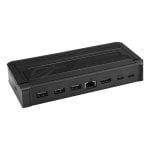
    Docking Station USB-C Belkin Connect Universal 14 Puertos 2 Monitores 100W

    P/N: INC028KQBK | Cod. Artículo: 11162608
    Belkin | Docks, Hubs y Adaptadores Belkin
    337,41367,99€
    -30€ (-8%)
    Lo más destacado
    • Docking station USB-C con 14 puertos y 2 monitores
    • Conecta dos pantallas en 4K a 60 Hz
    • Carga tu portátil con hasta 100 W vía USB-C
    • Conexión estable mediante Ethernet Gigabit
    • Compatible con Windows, macOS y ChromeOS
    337,41367,99€
    -30€ (-8%)
    Artículos similares
    337,41367,99€
    -30€ (-8%)
    Características
    Opiniones24
    Preguntas y respuestas0
    Comparados
    Sobre el producto

    Conecta tu portátil a un puesto de trabajo completo con un solo cable USB-C en esta docking station Belkin. Transforma tu laptop en una estación de productividad avanzada de forma instantánea.

    Características docking station Belkin Connect Universal

    • Expansión visual potente: Conecta hasta dos monitores externos de forma simultánea para trabajar con múltiples ventanas. Disfruta de resolución 4K a 60 Hz a través de los puertos DisplayPort y HDMI dedicados.
    • Conectividad completa con 14 puertos: Incorpora una variedad de puertos USB-A, USB-C, DisplayPort, HDMI y Ethernet RJ45. Cubre todas las necesidades de periféricos y almacenamiento externo.
    • Carga inteligente para tu portátil: La función de Power Delivery carga tu dispositivo con hasta 100 W a través del mismo cable de datos. Mantén la batería al 100% mientras trabajas en el puesto.
    • Red Ethernet de alta velocidad: Accede a una conexión de red estable y rápida a través del puerto RJ45 Gigabit Ethernet. Ideal para transferir archivos grandes o disfrutar de baja latencia.
    • Compatibilidad universal: Funciona con portátiles equipados con USB-C que soporten video. Compatible con sistemas operativos Windows, macOS y ChromeOS.
    • Incluye alimentación: La docking station incluye su propio adaptador de corriente para garantizar el rendimiento óptimo de todos los puertos y la función de carga.

    Este hub USB-C es la solución definitiva para convertir tu portátil en un centro de control completo y eficiente. Optimiza tu flujo de trabajo con una conectividad sin compromisos. Añade la docking station Belkin a tu espacio de trabajo hoy.

    Especificaciones docking station Belkin Connect Universal

    EspecificaciónDetalle
    MarcaBelkin
    ModeloConnect Universal (INC028KQBK)
    Tipo de dispositivoDocking Station
    Total de puertos14 puertos
    Conexión al equipoUSB-C
    Puertos de vídeo2× DisplayPort, 2× HDMI
    Puertos USBMúltiples puertos USB-A y USB-C
    Puerto de redRJ45 (10 Gbit/s)
    Función de cargaSí, hasta 100 W (Power Delivery)
    Compatibilidad S.O.Windows, macOS, ChromeOS
    ColorNegro
    Contenido de la cajaDocking station, adaptador de corriente

    FAQs docking station Belkin Connect Universal

    • ¿Qué resolución de vídeo soporta esta docking station? Soporta una resolución de hasta 4K (3840x2160 píxeles) a 60 Hz en los monitores conectados a través de sus puertos DisplayPort y HDMI.
    • ¿Puedo usarla con cualquier portátil con USB-C? Es compatible con portátiles equipados con un puerto USB-C que admita vídeo Alt Mode y Power Delivery. Funciona con Windows, macOS y ChromeOS.
    • ¿Cómo se carga mi portátil a través de la docking station? Conecta la docking station a la toma de corriente con el adaptador incluido. Luego, conecta tu portátil al hub con el cable USB-C. La función Power Delivery transmitirá hasta 100 W de potencia para cargar el dispositivo.
    • ¿Cuántos dispositivos puedo conectar simultáneamente? Puedes conectar hasta 14 dispositivos en total, incluyendo hasta 2 monitores, múltiples periféricos USB, un cable de red Ethernet y alimentar tu portátil.

    Seguridad del producto

    Opiniones

    4.7
    24 Opiniones
    100%
    Recomiendan24 Recomendaciones
    • 5
      17
    • 4
      7
    • 3
      0
    • 2
      0
    • 1
      0

    Deja tu opinión

    Te costará un minuto, ayudarás a la gente a decidirse.

    Opiniones de usuarios

    Total 26 opiniones

    Desde España

    M
    MariamR
    Hace un mes
    My workspace superhero: the ultimate displaylink dual display docking station. [This review was collected as part of a promotion.] I have been testing this Belkin displaylink dual display docking station for more than two weeks , and it has completely transformed my workstation. It is incredibly l...
    Publicada originalmente en Belkin
    R
    RosanaR
    Hace un mes
    Easy [This review was collected as part of a promotion.] Very good I like how easy it is to use it lightweight and it’s a good size as well and it works with USB and USB-C and I like that it’s a good reliable brand as well and you know you’re getting your moneys worth
    Publicada originalmente en Belkin
    M
    MichaelC
    Hace un mes
    Compact and easy to set up [This review was collected as part of a promotion.] I set this up in my work from home office. Works great no compatibility issues. Doesn’t get hot love the compact design. Seems to be well made. But just started to use it.
    Publicada originalmente en Belkin
    D
    DrishtiV
    Hace 20 días
    Good go to choice for everyday use [This review was collected as part of a promotion.] A good choice for a dock with enough ports for your displays if you are someone who uses a lot of monitors. It doesn’t have any card slots so that is something to keep in mind. Works as expected and hasn’t given...
    Publicada originalmente en Belkin
    S
    SamanthaK
    Hace 11 días
    Great product [This review was collected as part of a promotion.] This dock works extremely well. The option to use either display port and hdmi is a big plus for me. The multiple USB-A and C port provide a lot of connectivity. I almost had an issue with the display driver as they must be downloa...
    Publicada originalmente en Belkin
    M
    MariamR
    Hace un mes
    My workspace superhero: the ultimate displaylink dual display docking station. [This review was collected as part of a promotion.] I have been testing this Belkin displaylink dual display docking station for more than two weeks , and it has completely transformed my workstation. It is incredibly l...
    Publicada originalmente en Belkin
    S
    ShelbyH
    Hace un mes
    Dual display monitor [This review was collected as part of a promotion.] I think that the port goes together well, and everything works well. I like that it charges your device while it’s in use. I wish that it came with better instructions to get it set up as I had to go to company website to get...
    Publicada originalmente en Belkin
    E
    EmmaA
    Opinión destacada
    Hace un mes
    Practical but a little bulky [This review was collected as part of a promotion.] I enjoy this product as it charges my computer and gives me less cords on my desk but the box is a little bulky. I have to get used to it. One positive is that it hasn’t overheated yet and makes my setup pretty nice v...
    Publicada originalmente en Belkin
    C
    CaitlynM
    Hace 16 días
    Great docking station [This review was collected as part of a promotion.] This dock is a great addition to our work from home setup. I had a smaller, more portable dock that I struggled to plug all my items into. This is able to hold everything I need, and give me the option to keep the other dock...
    Publicada originalmente en Belkin
    L
    LaurenK
    Hace un mes
    Great device! [This review was collected as part of a promotion.] This was so easy to set up! The size is much smaller than my previous docking station which is great because it takes up way less space on my desk. It has a plethora of ports for all your monitors and Bluetooth devices (mouse, keybo...
    Publicada originalmente en Belkin
    G
    GraceW
    Hace 17 días
    No more cords getting tangled up! [This review was collected as part of a promotion.] This lightweight docking station has been amazing with my work from home set up! I used to have tons of cords getting tangled up that were connected to different items. Now I can keep my monitors, laptop, cooling...
    Publicada originalmente en Belkin
    N
    NhungT
    Hace 26 días
    Nice try [This review was collected as part of a promotion.] I think I just using this one Pne Ron Woon at the south world ay was so easy and i love this so much, nice tryyy Weight was perfect Build so Love itttttt
    Publicada originalmente en Belkin
    D
    DeidreG
    Hace 9 días
    Simple, clutter-free, seamless connection [This review was collected as part of a promotion.] If you want a clutter-free desk, this compact Belkin dock is a game-changer. It barely takes up any space but completely transforms your workflow.Setting up dual monitors is incredibly easy with the Displ...
    Publicada originalmente en Belkin
    I
    IsabelaC
    Hace 9 días
    Great Quality [This review was collected as part of a promotion.] It was compatible with my Mac laptop. It’s pretty easy to set up. The instructions are very straightforward and it was quick to download the necessary program. It easily connected with my screen and has lots of ports so I’ll be able...
    Publicada originalmente en Belkin
    A
    AdamC
    Hace un mes
    Ease of use is key [This review was collected as part of a promotion.] This Belkin Displaylink dual display dock does what it is supposed to, especially if you need multiple monitors, like I do, that does natively support it. The port selection is solid, plenty for USB, peripherals, and dual displ...
    Publicada originalmente en Belkin
    Opinión verificada
    Nuestra etiqueta de "opinión verificada" garantiza que esta reseña pertenece al mismo usuario que realizó la compra del producto en nuestra web. Verificamos la autenticidad de las compras y sus reseñas correspondientes, para asegurar que las opiniones etiquetadas de esta forma sean precisas y confiables.
    Cargar más opiniones

    Preguntas y respuestas

    No hay preguntas de momento. ¡Sé el primero!