


Multifunción HP DeskJet 2910 Inyección de tinta Color WiFi Dúplex Todo-en-Uno
- Escáner de cama plana a color (hasta 300×300 ppp), impresión inalámbrica por Wi‑Fi 4 desde móviles y tabletas, cartuchos negro y tricolor con reposición automática opcional, copias a color y doble cara manual.
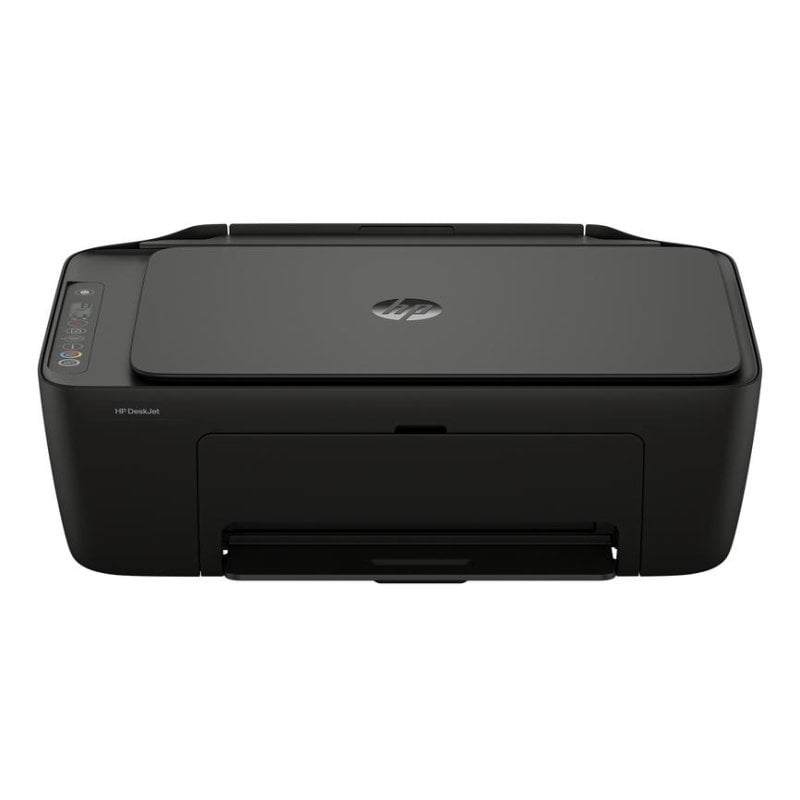
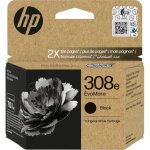
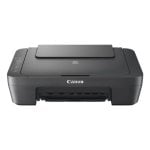
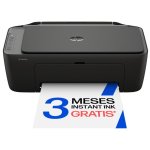
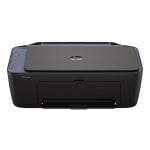
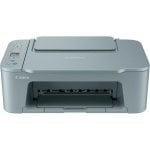
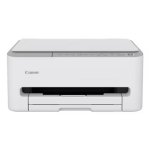
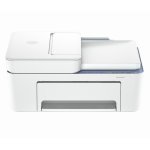
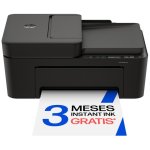
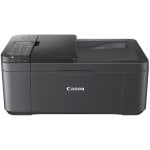
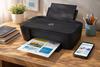
Optimiza tu espacio y consigue máxima versatilidad con la HP DeskJet 2910 All-in-One: imprime, escanea y copia desde cualquier lugar de tu hogar.
Características HP DeskJet 2910 Multifunción
Gestión sencilla y conectividad integral. La impresora HP DeskJet 2910 ofrece una experiencia todo-en-uno con gestión intuitiva gracias a la aplicación oficial de HP, permitiendo imprimir, escanear y copiar documentos o fotografías a color de forma eficaz. Su conexión WiFi de banda dual con recuperación automática posibilita impresión móvil estable sin caídas, ideal para hogares con múltiples dispositivos conectados.
Calidad profesional y máxima compatibilidad. Disfruta de impresiones nítidas gracias a su tecnología de inyección térmica con una resolución de hasta 4.800 x 1.200 ppp en color. Soporta una amplia gama de papeles y formatos fotográficos, con compatibilidad nativa para Windows y Mac. Su bandeja de entrada soporta hasta 60 hojas y admite impresión dúplex manual, perfecta para ahorrar papel.
Compromiso con la sostenibilidad. Incluye opciones ecológicas como cartuchos con al menos un 70 % de plástico reciclado y programa gratuito de devolución de cartuchos usados. El soporte de HP Instant Ink automatiza el suministro de tinta y reduce riesgos de quedar sin consumibles.
Seguridad dinámica y protección. Solo acepta cartuchos originales o con circuito HP para garantizar fiabilidad y proteger el dispositivo. Además, las actualizaciones periódicas de firmware refuerzan la seguridad.
Configura en minutos, imprime desde cualquier habitación y aprovecha las funciones educativas con Imprimibles HP para potenciar la creatividad familiar. La versatilidad de la HP DeskJet 2910 la convierte en la herramienta perfecta para quienes buscan eficiencia y resultados profesionales en casa u oficina pequeña.
Especificaciones HP DeskJet 2910 Multifunción
| Especificación | Detalle |
|---|---|
| Tecnología de impresión | Inyección de tinta térmica (color) |
| Resolución máxima impresión | 4.800 x 1.200 ppp |
| Velocidad de impresión color/negro | 5,5 ppm / 7,5 ppm |
| Función dúplex | Manual para impresión |
| Escáner | Cama plana (Flatbed), 1.200 x 1.200 ppp ópticos |
| Copiado | Color, hasta 300 x 300 ppp |
| Conectividad | WiFi 4 (802.11n), USB 2.0 |
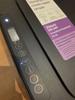
| Pantalla | LCD, control por botones |
| Capacidad de entrada/salida | 60 hojas / 25 hojas |
| Tamaños de papel admitidos | A4, A6, B5, sobres, fotos 4x6, 5x7, 8x10 |
| Compatibilidad SO | Windows 10, 11; macOS 13, 14, 15 |
| Cartuchos | 2 (negro, tricolor), HP Instant Ink compatible |
| Consumo energético (funcionamiento/reposo) | 2,55 W / 1,31 W |
| Dimensiones (ancho x fondo x alto) | 425 x 304 x 154 mm |
| Peso | 3,42 kg |
| Color | Gris (Cement noir) |
| Extras incluidos | Cartuchos setup, cable de alimentación, software vía app HP |
FAQs - HP DeskJet 2910 Multifunción
¿La HP DeskJet 2910 puede escanear y copiar documentos a color?
Sí, integra escáner de cama plana de alta resolución y función de copia en color con hasta 300 x 300 ppp. Ideal para digitalización de documentos y reproducción inmediata.
¿Admite impresión sin cables y desde dispositivos móviles?
Sí, gracias al WiFi 4 (802.11n), puedes imprimir desde móviles, tabletas o portátiles mediante Mopria Print Service y Apple AirPrint, compatible con la app HP.
¿Qué tipo de cartuchos utiliza y cómo funciona Instant Ink?
Usa dos cartuchos: negro y tri-color. Es compatible con HP Instant Ink para reposición automática, reduciendo riesgos de quedarse sin tinta y optimizando el coste por página.
¿Permite impresión dúplex automática?
No, la impresión a doble cara es manual. La impresora indica cuándo reposicionar el papel para imprimir por ambas caras, facilitando el ahorro de papel.
Es para ti si:
- Buscas un multifunción fácil de instalar y manejar por WiFi.
- Necesitas impresiones y escaneos de calidad en formato A4 y fotos.
- Valoras la sostenibilidad y la comodidad del servicio de tinta Instant Ink.
- Requieres un equipo fiable para uso doméstico o home office.
No es para ti si:
- Necesitas impresión dúplex totalmente automática y alto volumen.
- Buscas conectividad Ethernet o compatibilidad con PictBridge.
- Requieres un equipo para envíos y recepción de fax.
- Demandas escaneado o copiado a doble cara sin intervención manual.
Seguridad del producto
Opiniones
- 5210
- 471
- 337
- 223
- 154
Deja tu opinión

Opiniones de usuarios
- Más relevantes
- Más recientes
- Más antiguas
Desde España
Preguntas y respuestas
No hay preguntas de momento. ¡Sé el primero!COMPARA CON OTROS PRODUCTOS
Mostrar diferencias | |||||||||||||
|---|---|---|---|---|---|---|---|---|---|---|---|---|---|
| Precio | 4543€ | 4599€ | 4990€ | 5199€ | 5228€ | 5264€ | 5290€79€ | 5399€ | 5660€ | 5799€99€ | 5807€ | 5999€ | 6098€ |
| Rating | |||||||||||||
| Conexiones | USB | ---- | ---- | ---- | ---- | ---- | ---- | ---- | ---- | ---- | ---- | ---- | ---- |
| Tipo Impresión | Inyeccion de Tinta | ---- | ---- | ---- | ---- | ---- | ---- | ---- | ---- | ---- | ---- | ---- | ---- |


